
Final Surge now has full integration with Amazfit watches (through the Zepp app), allowing athletes to push planned structured workouts to their Amazfit devices as well as sync completed workouts from the Zepp app to the Final Surge calendar.
There are two ways to push planned structured workouts to your Amazfit calendar. You can manually push single workouts from the Final Surge app to Amazfit, or you can turn on the Auto-Sync feature within the Final Surge app, which will automatically push down your next 6 days of planned structured workouts to Amazfit each night.
Read below on how to set up the connection and enable the workout sync between Final Surge and Garmin Connect.
Connecting Final Surge to Amazfit
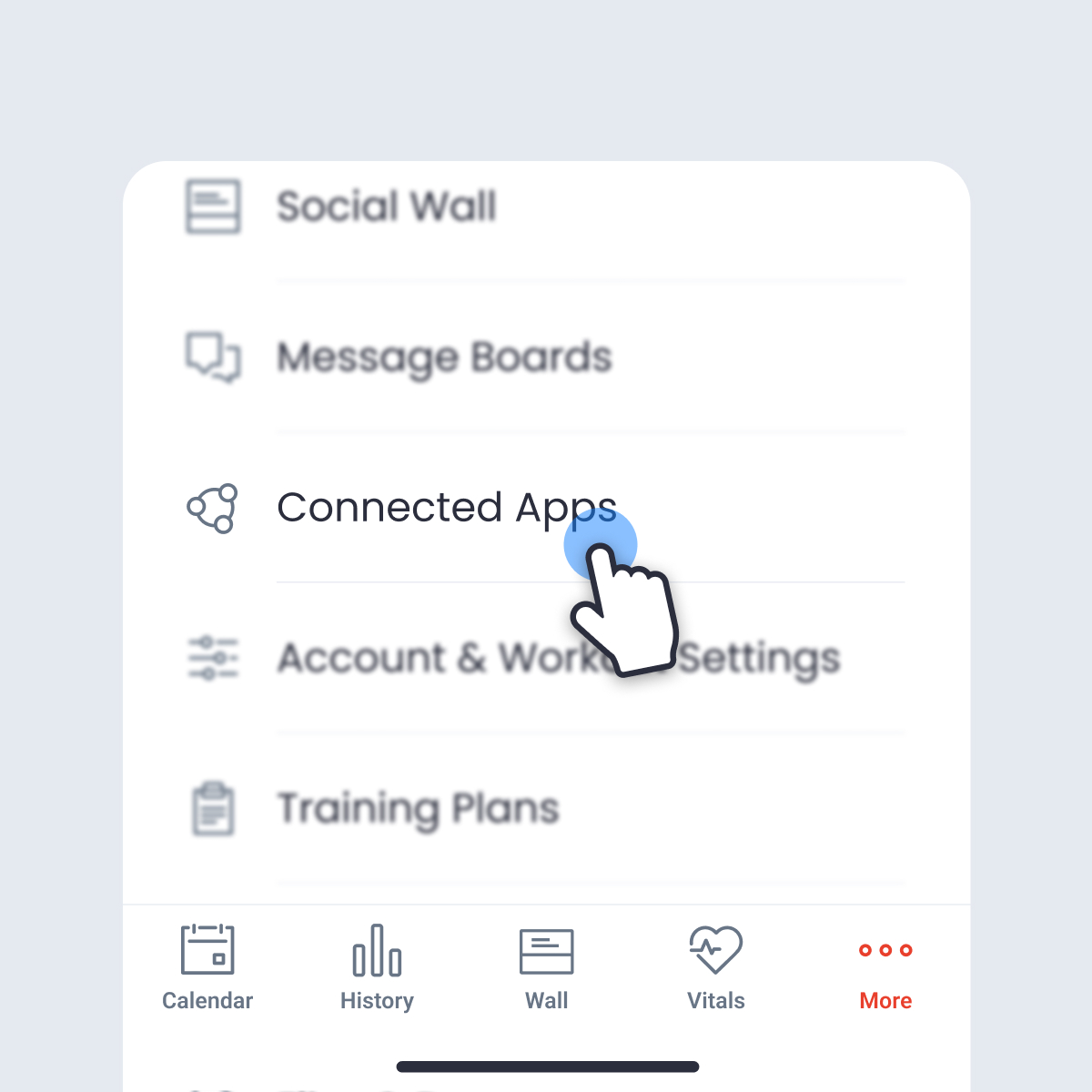
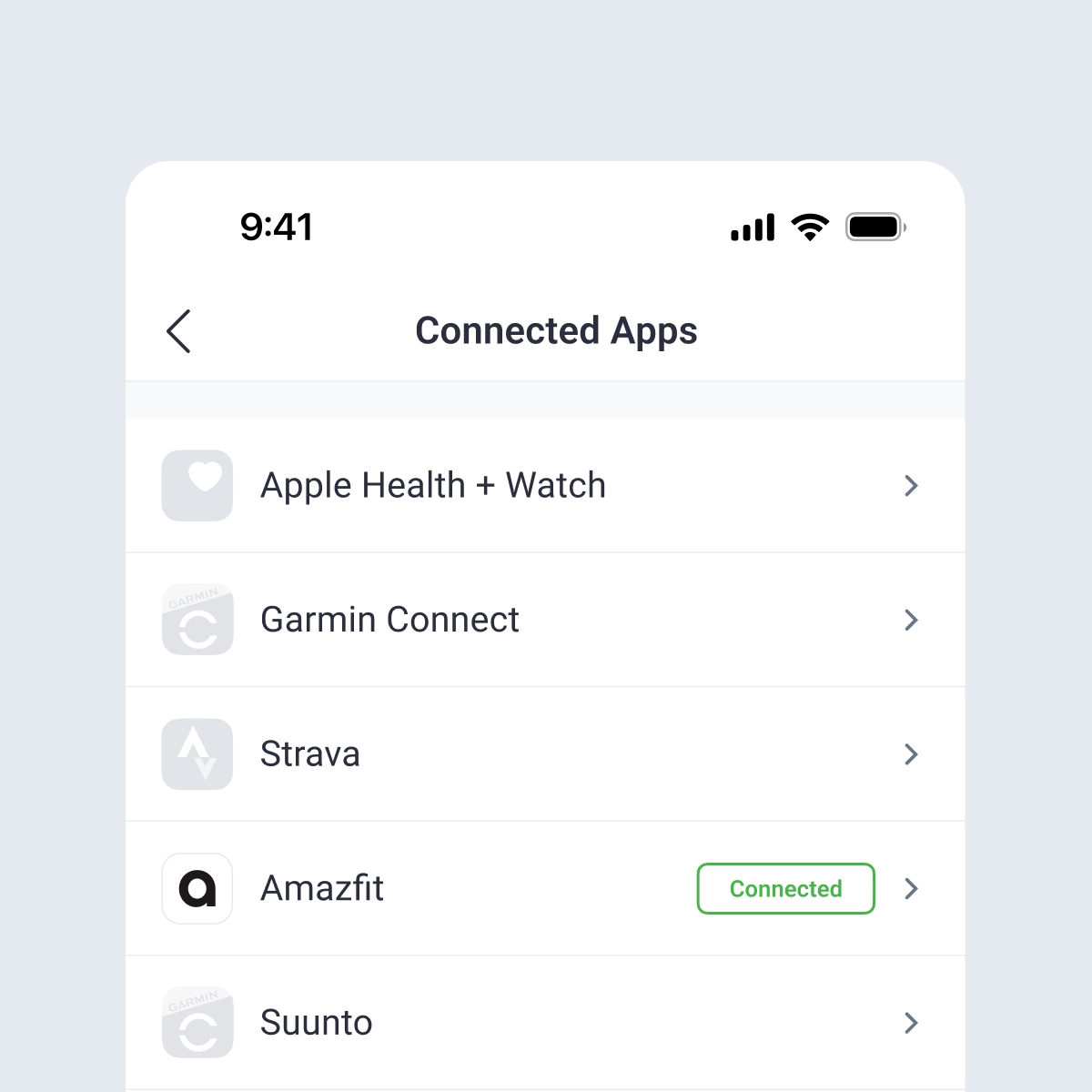
To set up the connection, open the Final Surge app and tap on the More menu (…) at the bottom of the app. From the More menu, click on Connected Apps:
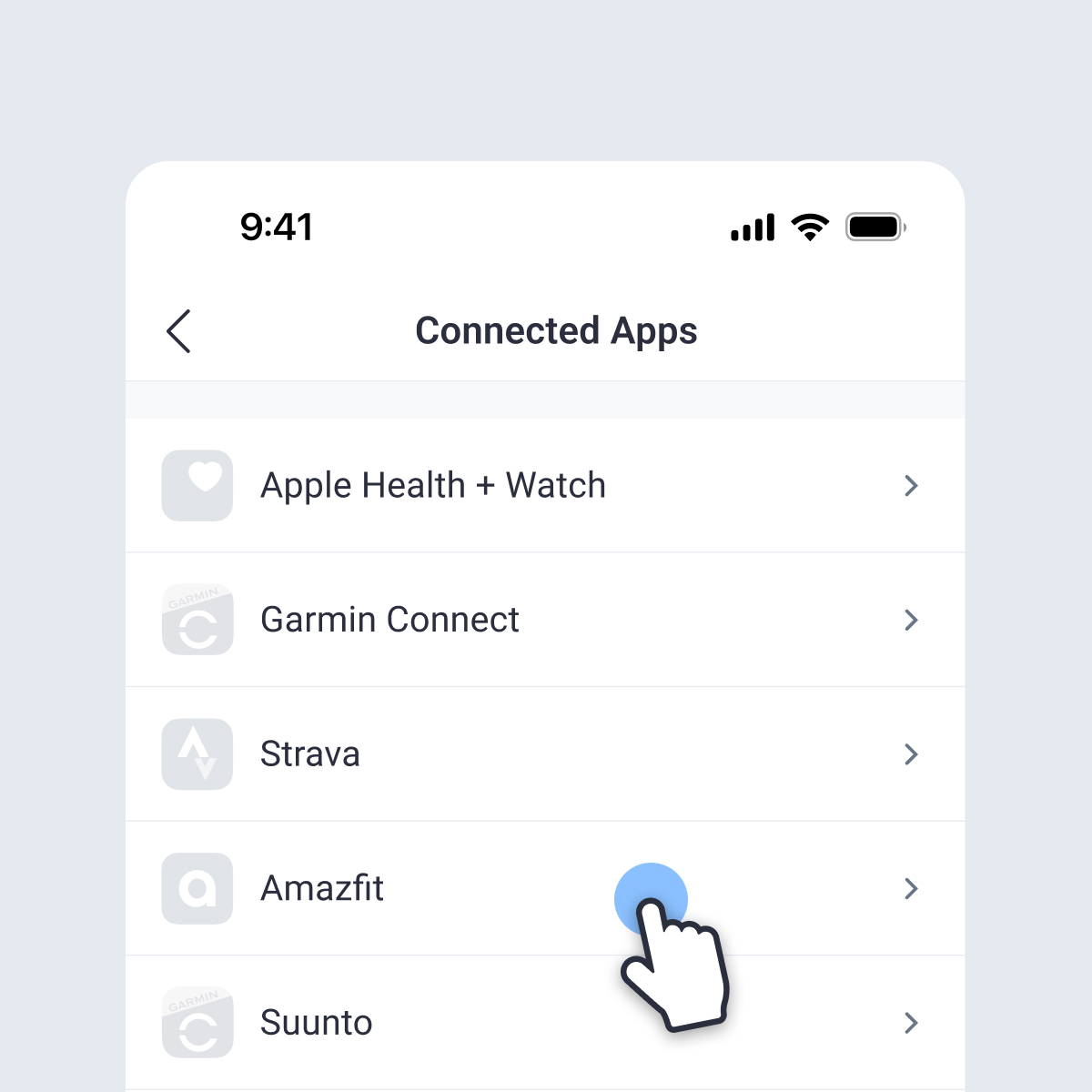
From the Connected Apps page, tap on Amazfit:
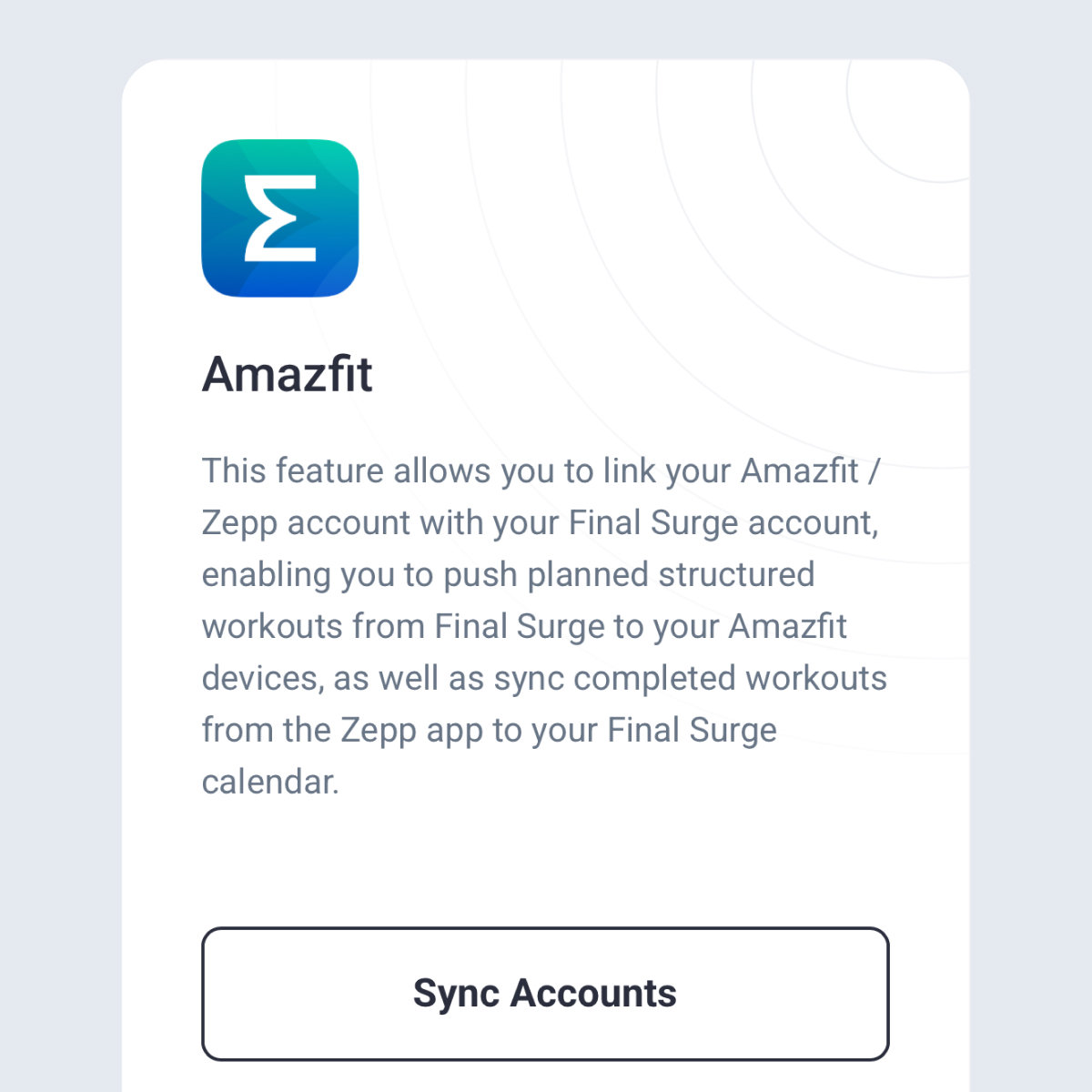
When the Amazfit sync account screen opens, tap on the “Sync Accounts” button at the bottom of this screen:
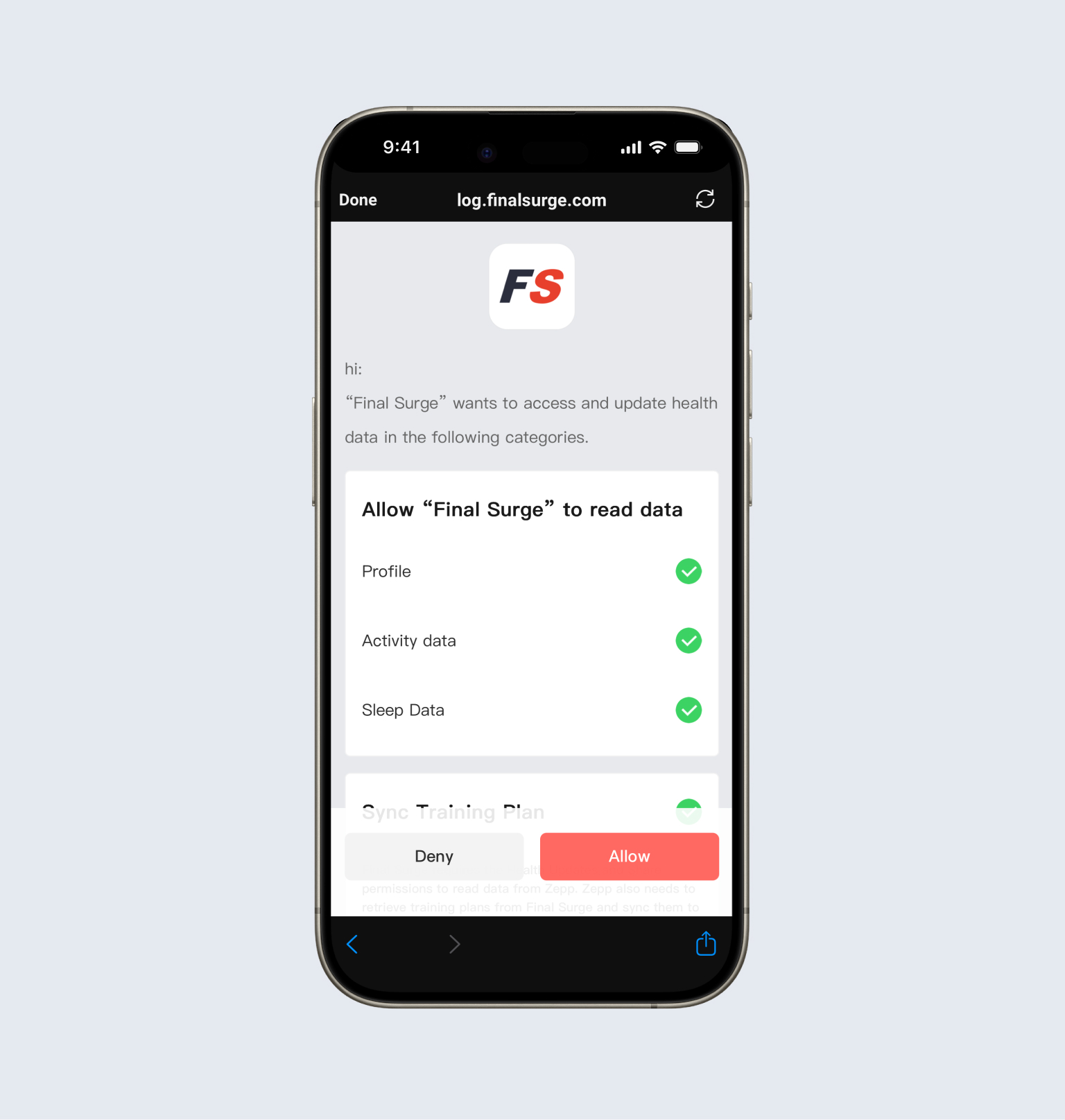
You will be taken to a Zepp account login page. Log into your Amazfit/Zepp account to make the connection:
Once you have successfully connected your account, the Amazfit sync account screen within Final Surge will display “Synced”. You can then click the “Done” link in the top left corner to return to the Connected Apps page.
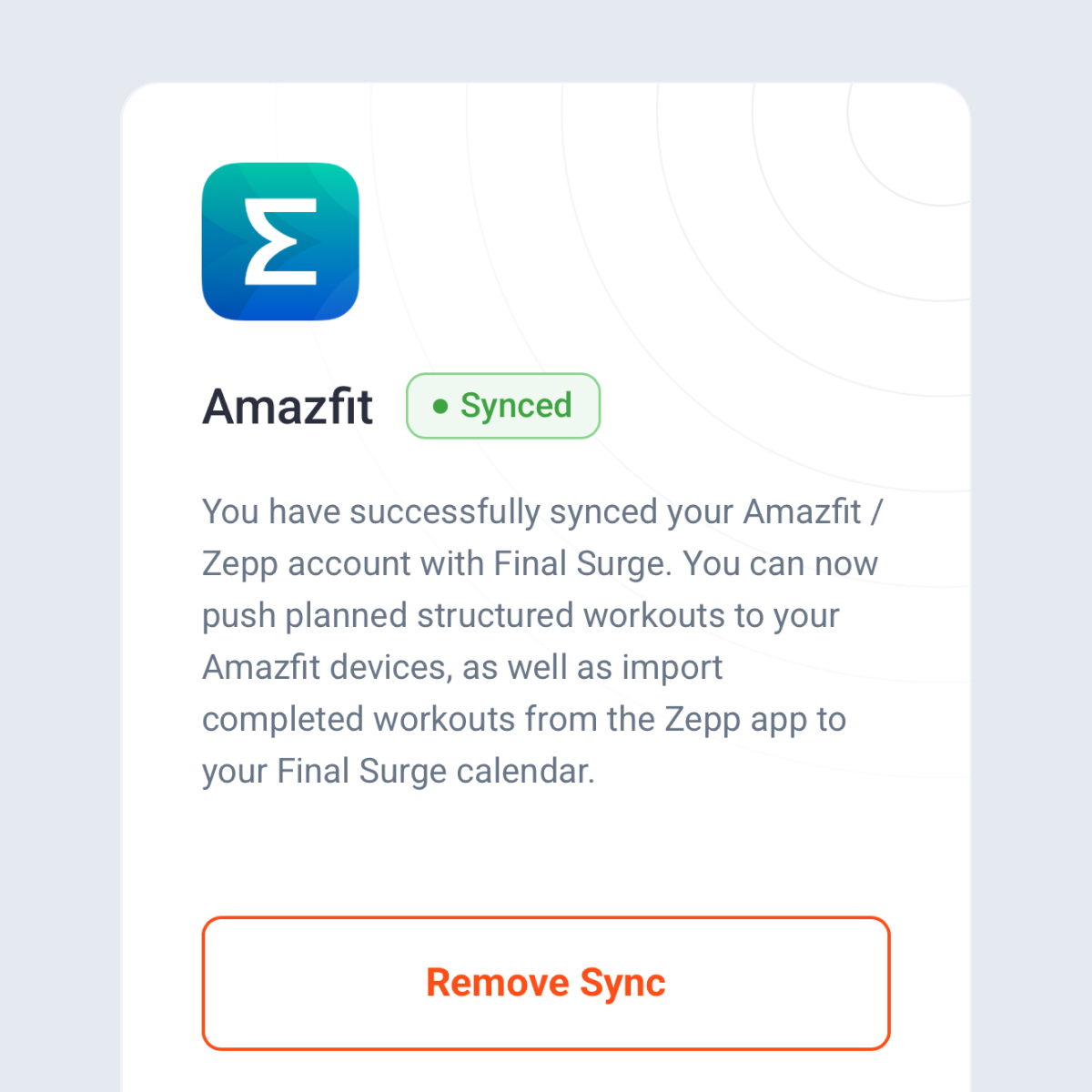
Now that you have connected the accounts, all completed Amazfit workouts will automatically sync to Final Surge.
Turning on Auto-Sync for Planned Structured Workouts
If you or your coach creates planned structured workouts on your Final Surge calendar, you can automatically sync your next 6 days of training to Amazfit so that you can view and execute the workouts on your Amazfit device. To turn on the Auto-Sync feature, go back to the Connected Apps page and tap on Amazfit:
The following screen will appear:
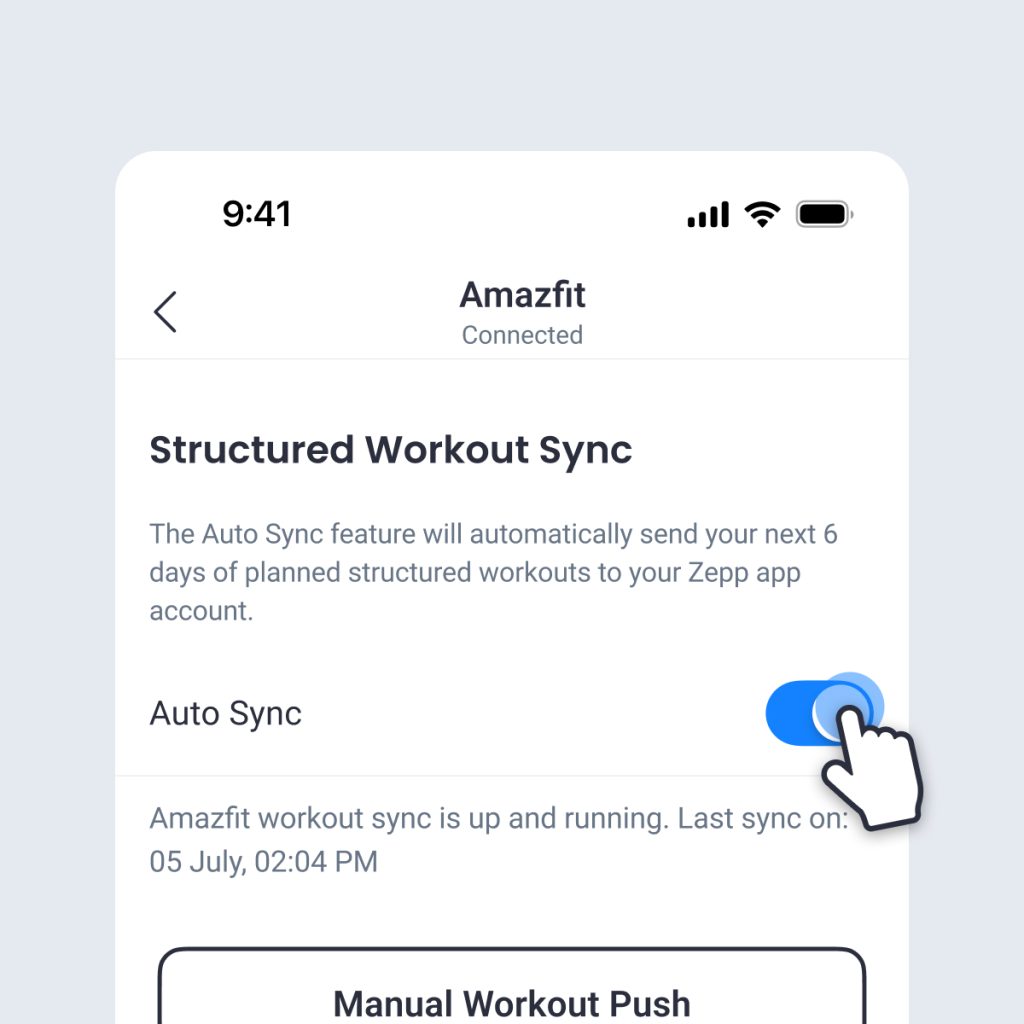
Toggle on the Auto-Sync feature. Once on, each night the next 6 days of planned structured workouts will be automatically pushed to your Amazfit account.
If you ever need to immediately push the next 6 days of workouts to Amazfit, tap on the “Manual Workout Push” button on this screen.
Manually Pushing a Single Workout to Amazfit
At any time, you can manually push a single planned structured workout on your Final Surge calendar to your Amazfit account. This workout must be a future workout and within the next 6 days from today’s date in Final Surge. To complete this, go to the daily view in the Final Surge app, slide the workout card to left to expose the quick menu, tap on the 3 triple dots and select “Push to Amazfit”:
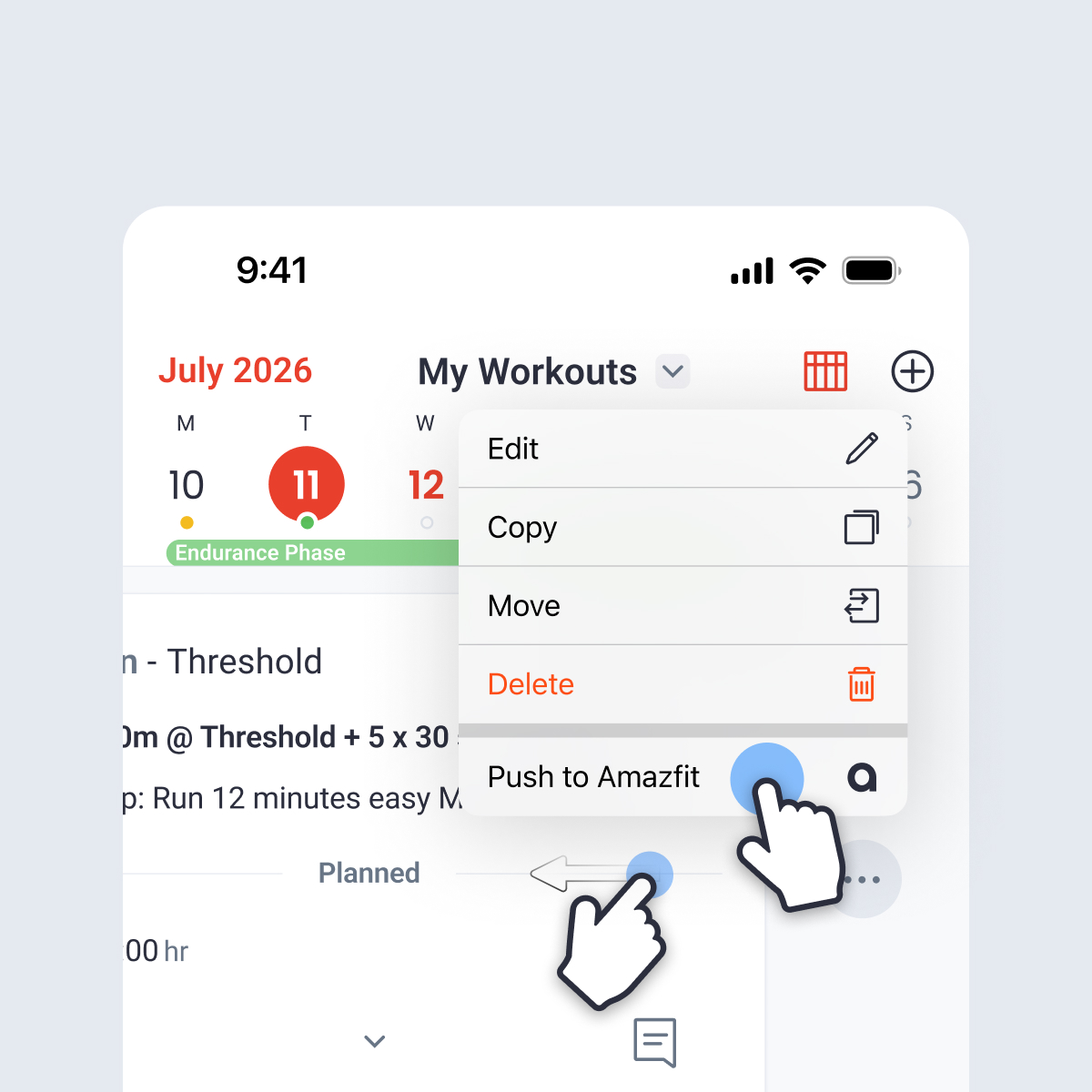
If you use the weekly view of the Final Surge app, tap on the workout to view the workout details screen. From there, tap on the 3 triple dots in the top right corner and then select “Push to Amazfit”:
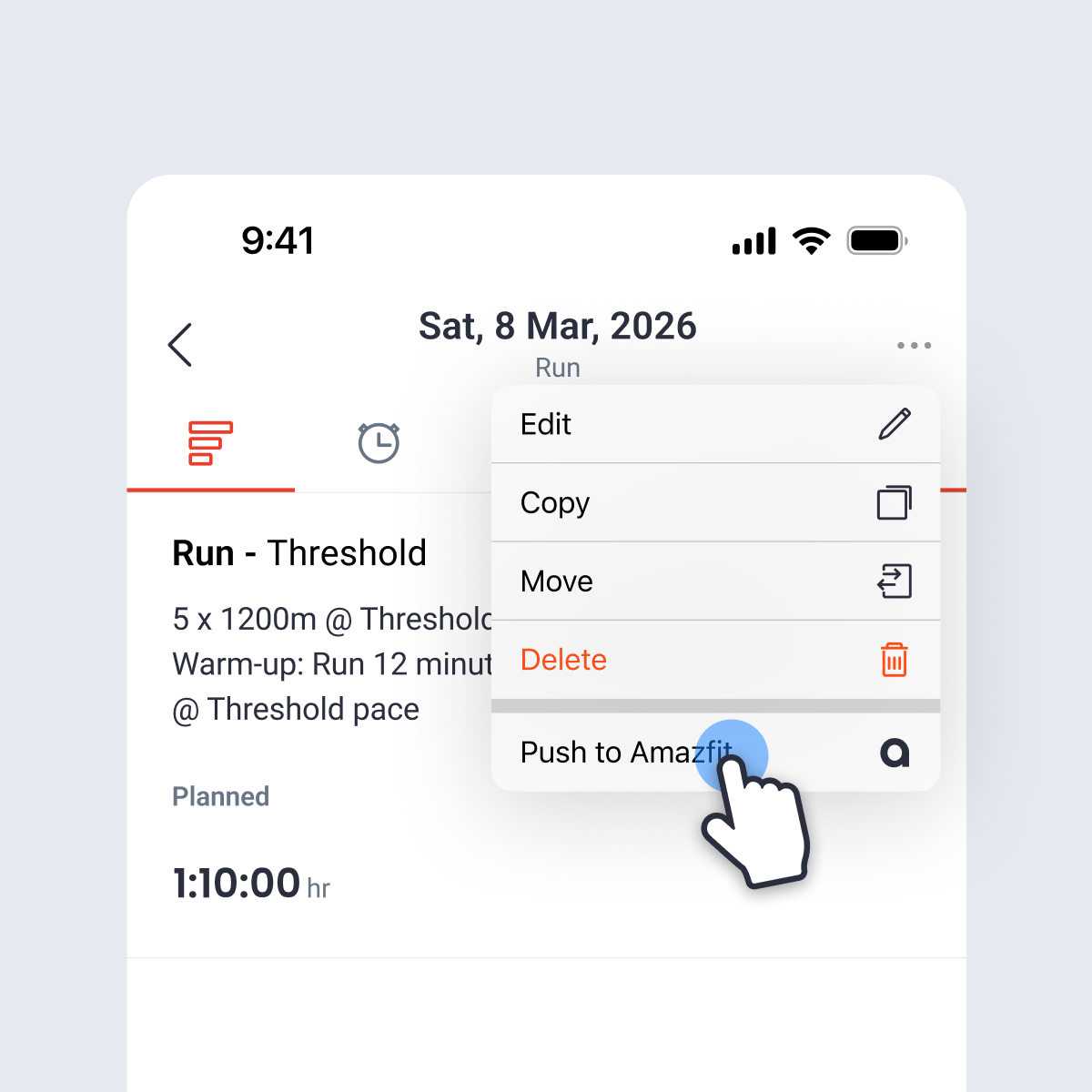
Once the workout has successfully been sent down to your Amazfit account, you will see an Amazfit icon displayed on the workout:
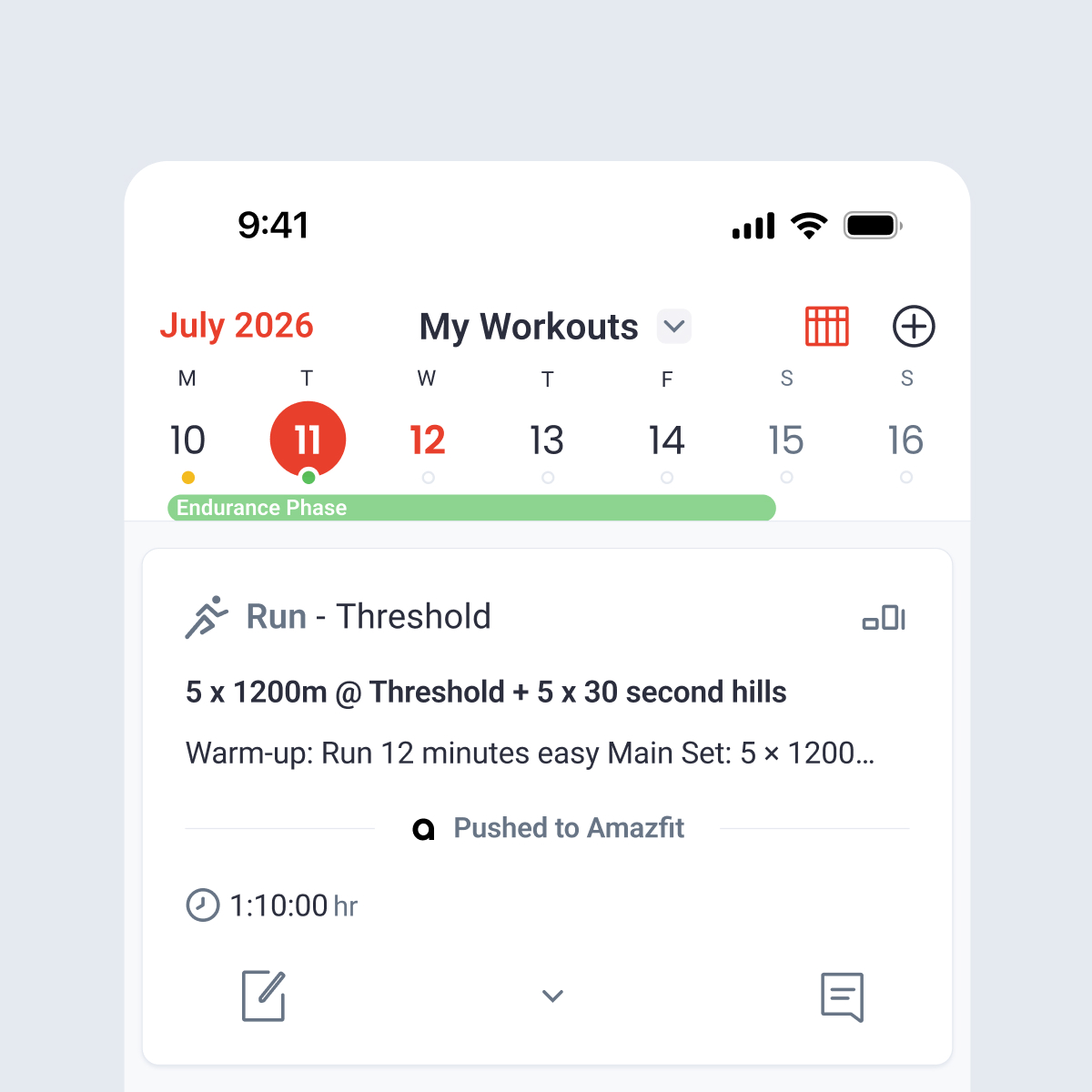
Viewing Planned Workouts in Amazfit
Once you have successfully pushed planned structured workouts to your Amazfit account, you will be able to see them in the Zepp app on your phone. Open the Zepp app and tap on the Workout icon at the bottom of the screen. Tap View My Training Calendar, select the day of your planned workout:
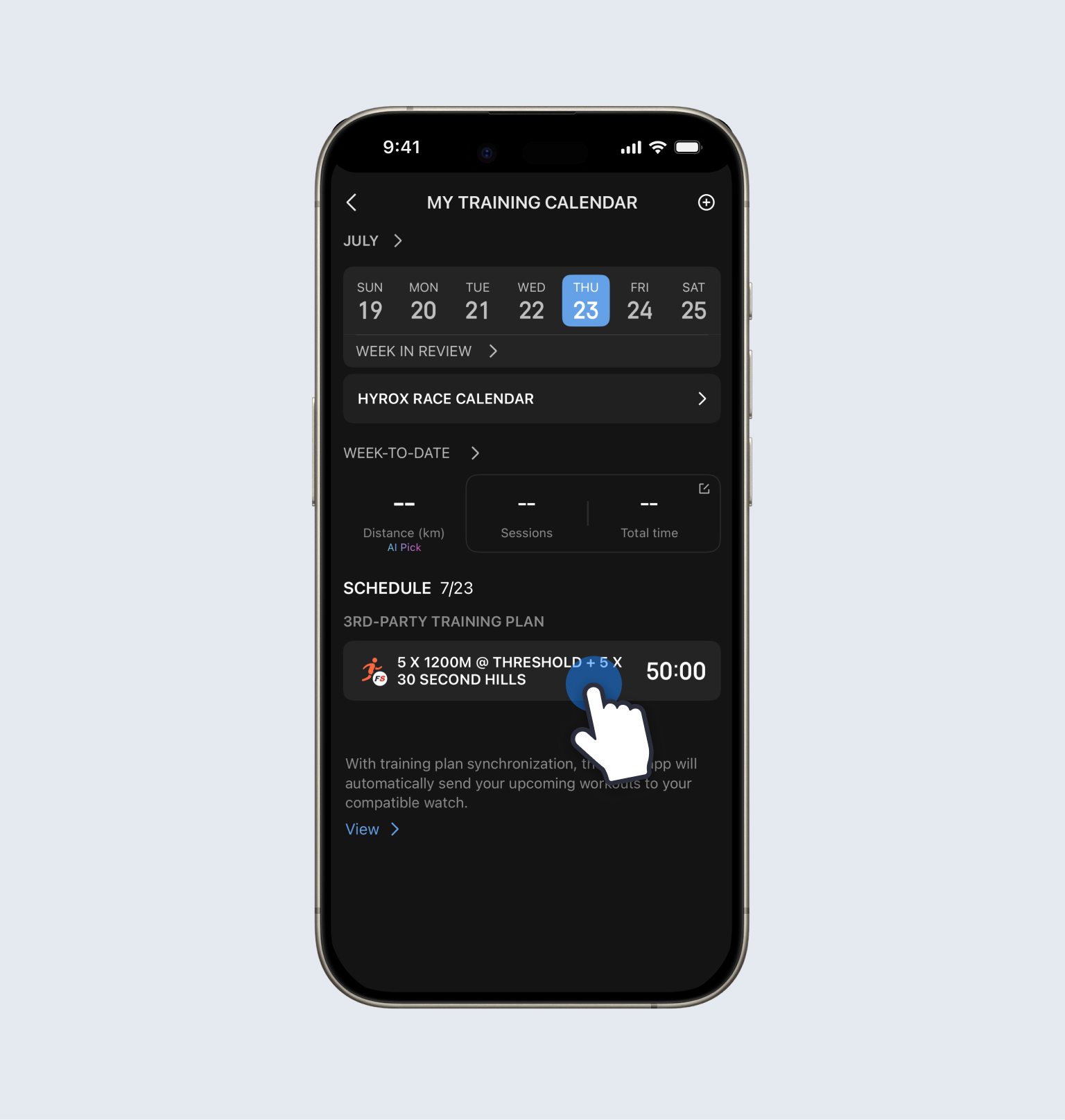
On the Daily Details view of the day you tapped on, you will see the planned workout. Tap on the workout name to view details:
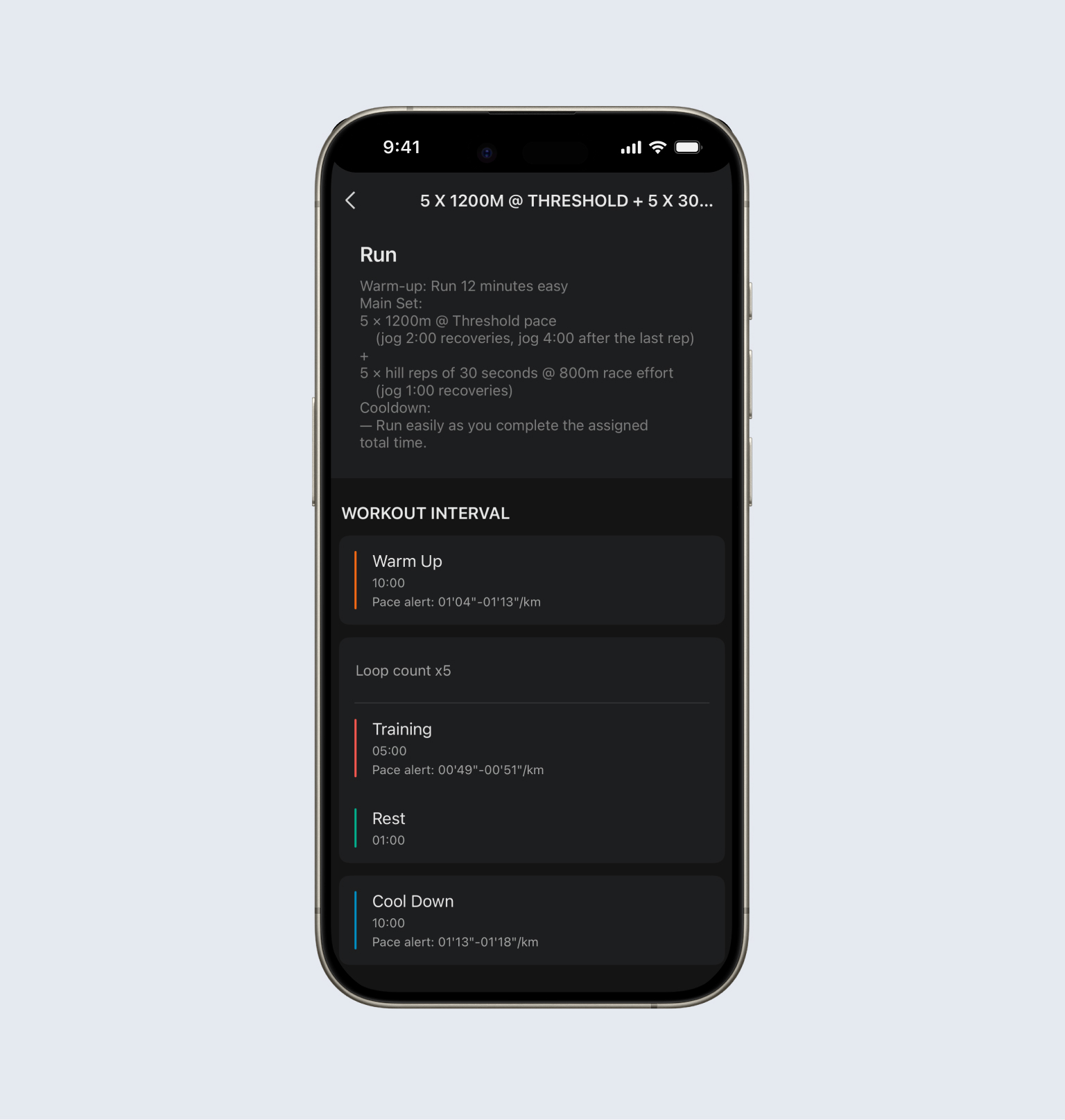
You will then see the name, description, and the structured workout details on this screen. As long as your Amazfit device is connected to your phone, this workout will have already synced to your watch for you to complete on the scheduled day.